AI platform: analytics, administration and agents
A corporate AI platform kept growing in agents, models and connectors, but the people who used, built and managed it had no clear place to act. I joined the project to lead the analytics, power user and system admin journeys, the home and the agent experience.
Project context
A platform where companies build and use AI agents connected to their own data. It brings together the home for everyday users, agent creation for power users and the Control Center for those who manage models, connectors, costs and people.
Each profile arrived with a different question: pick up their work, build a reliable agent or understand the operation's usage and cost. The platform put everything in one place, with no clear hierarchy of what to do first.
Senior Product Designer. I joined the project to lead the analytics, power user and system admin journeys, the home page and the agent experience, from the recommended scope to high-fidelity screens.
“To know how much AI costs, who uses it and what's failing, I have to cross-check three tools and I still don't trust the number.”
“See usage, cost, quality and technical health in one place, and safely enable models and connectors for teams.”
What each profile needed
Everyday users want to pick up conversations and clear pending items, not browse an agent catalog when they open the platform.
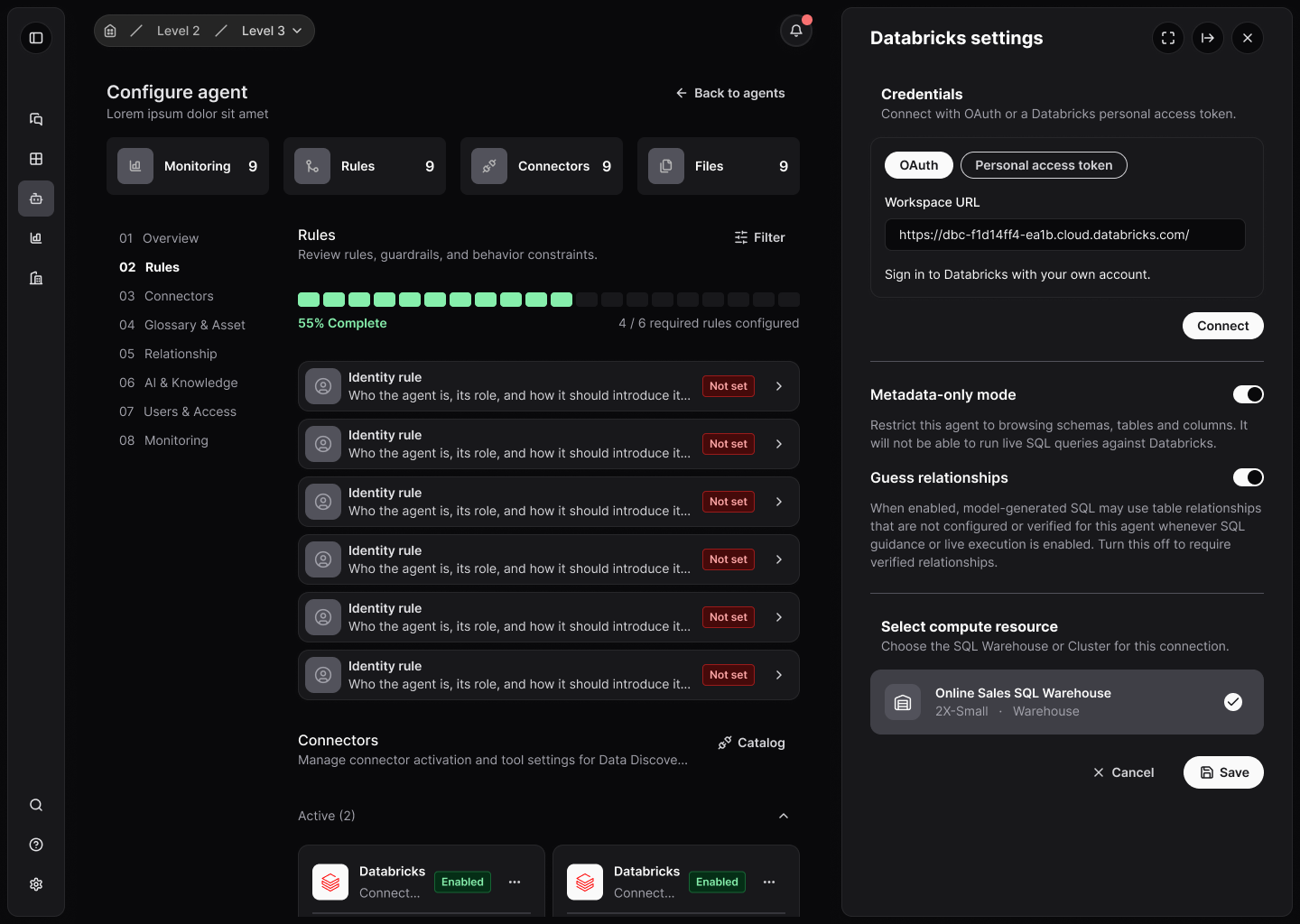
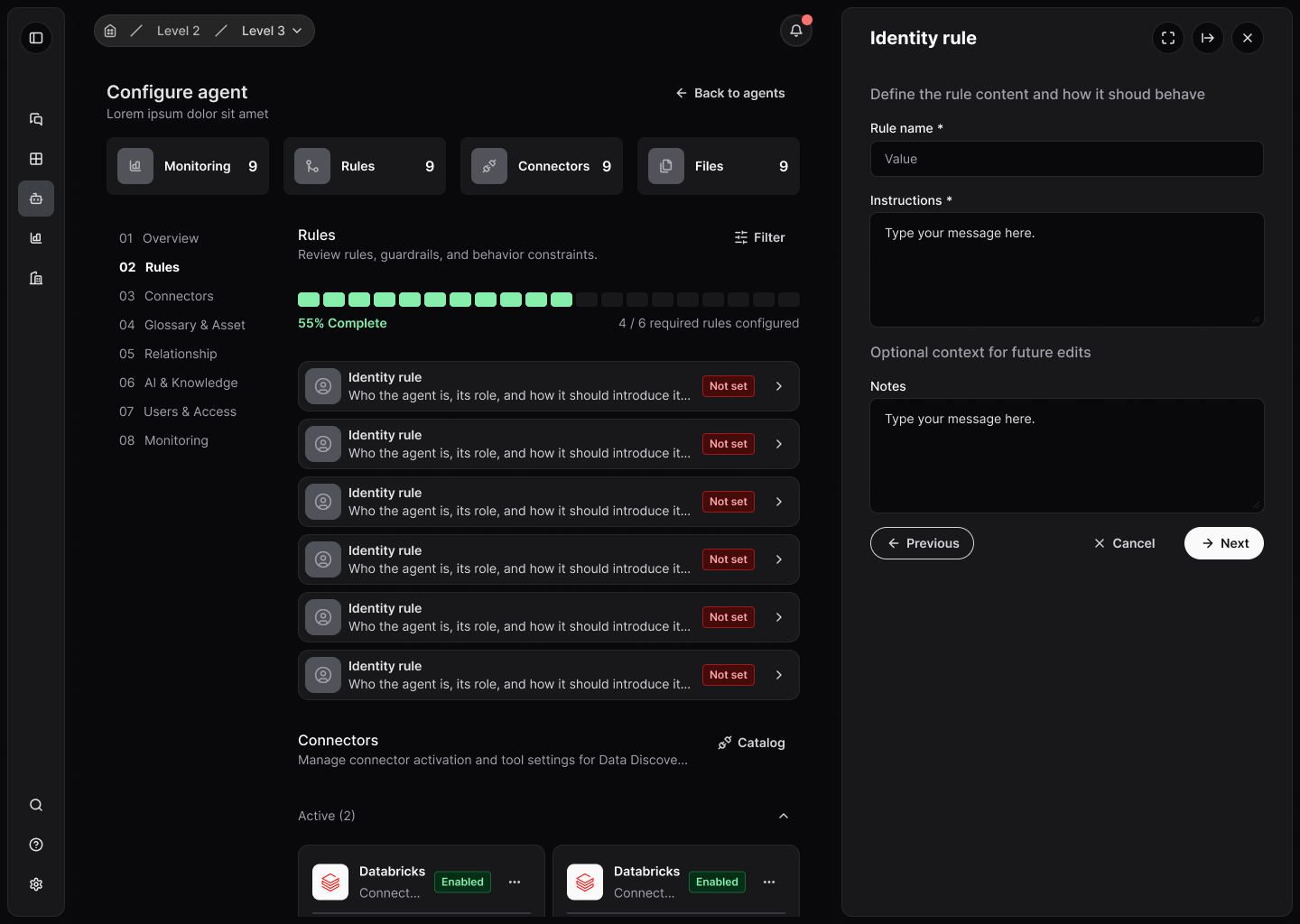
Agent builders need to choose the right type of agent and connect data sources without depending on the technical team.
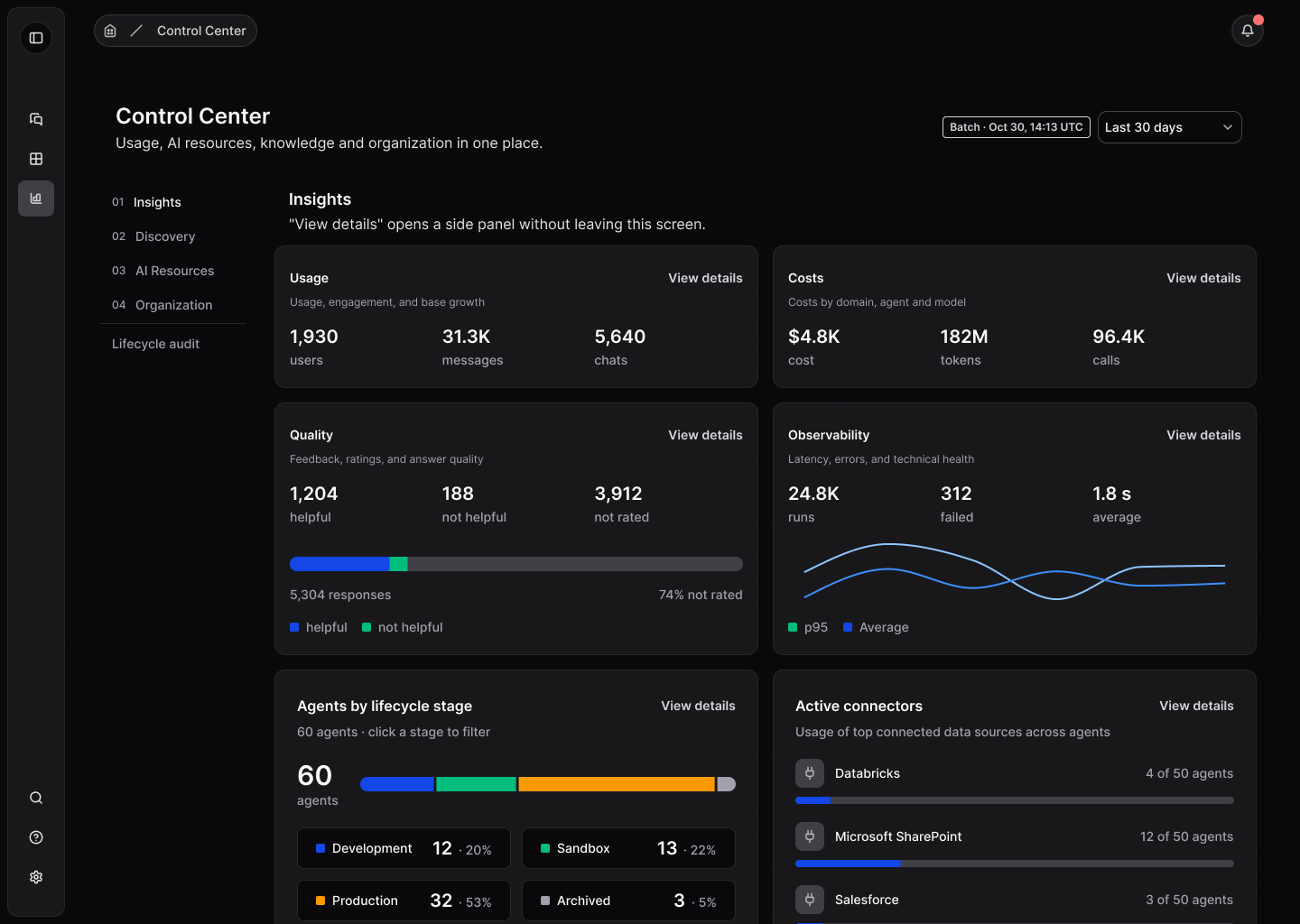
Admins need usage, cost, quality and observability side by side to decide fast and justify investment.
Enabling providers, models and connectors per organization was what unlocked safe use at scale.
From problem to solution
A scope proposal for the home
I structured a v1 scope proposal in three tiers: essential now, next iteration and what to leave for later. The composition principle came down to three verbs: resume, resolve and consult.
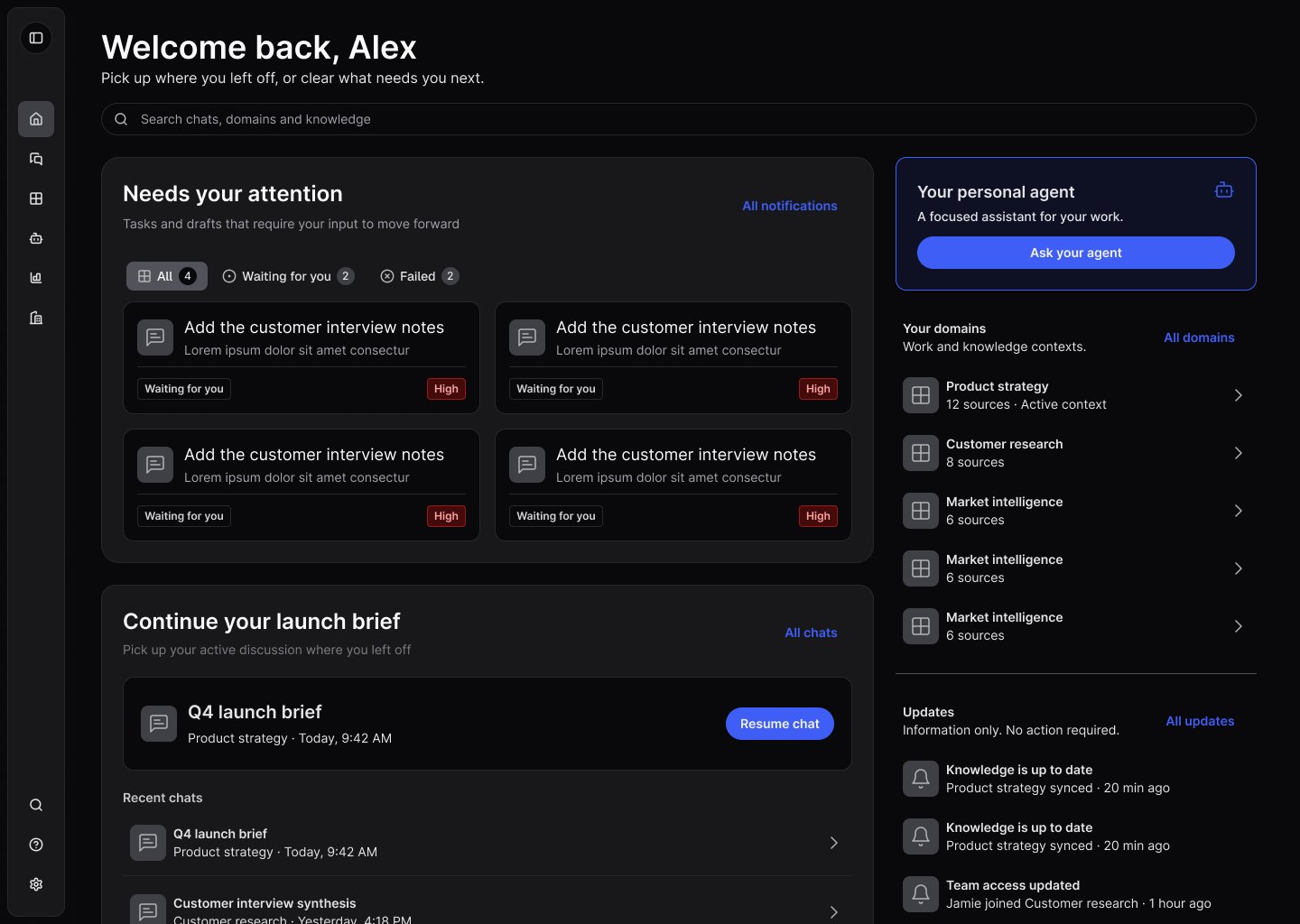
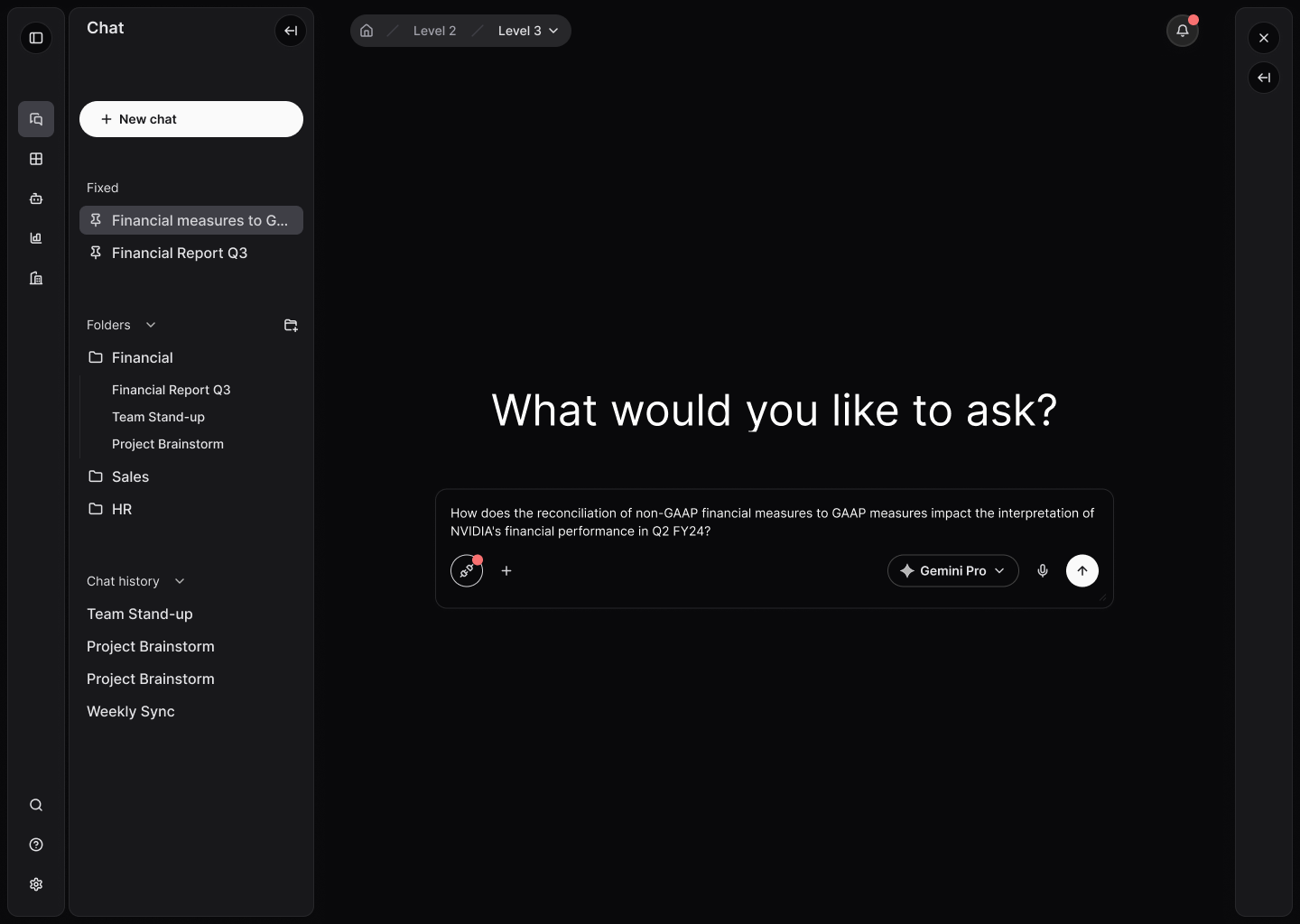
A home for getting back to work
I designed the home around recent conversations and a single queue of pending items, each with reason, source, status and a direct action, plus domains as context shortcuts.
Guided agent creation
I designed the creation flow in steps: agent type, knowledge base with uploads and connectors, templates by area and instructions, with visible progress throughout setup.
Analytics and administration in one place
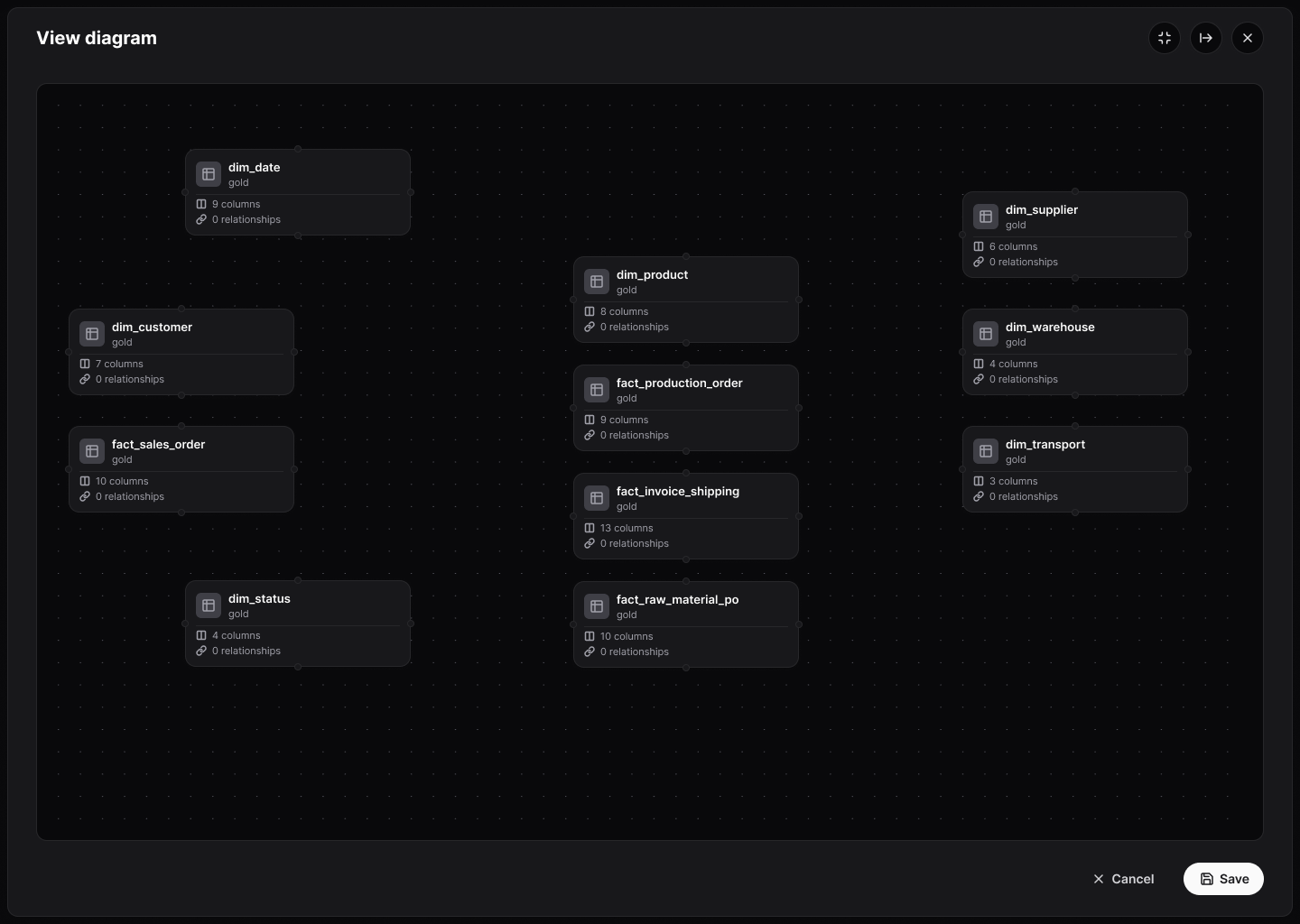
I organized the Control Center into four areas: Insights, Discovery, AI Resources and Organization, plus an agent lifecycle audit.
A visual walkthrough of the solution
Why each choice matters
Resume, resolve, consult
On the home, conversations and pending items sit at the center. Metrics, the agent gallery and a social feed stayed out of v1 because they don't help resume a conversation or resolve a decision.
Notifications inform, pending items ask for action
Notifications are kept apart from the work queue. If something needs a decision, it becomes a pending item with a deadline; everything else only informs, without looking like a task.
Every setting in its own area
Agents, permissions, models and knowledge bases are configured in the Control Center, not on the home. This keeps daily use light and gives admins a complete view.